 NEWS


As a content creator who concentrates on assembling themed playlists for a UK audience, my work is founded on identifying patterns, grasping suggestion algorithms, and unearthing hidden gems. This analytical mindset naturally extends to my leisure activities, among them the periodic exploration of digital Casino Winrolla Withdrawal Limits. When I first came across WinRolla Casino, I was quickly captivated not just to its game selection, but to its highly promoted ‘Favourite’ system. It positioned itself as a personalisation tool, a way to curate my own gaming session much like I build a playlist. Intrigued, I resolved to conduct a thorough, systematic test of this functionality over a lengthy period. My goal was not to assess the casino’s core offerings, but to examine the practicality, trustworthiness, and actual user value of this specific organisational tool. I wanted to see if it was a mere cosmetic button or a genuinely smart system that could improve navigation and potentially influence a player’s session flow, all from the standpoint of a consistent curator of online material.
First Look and Getting Started
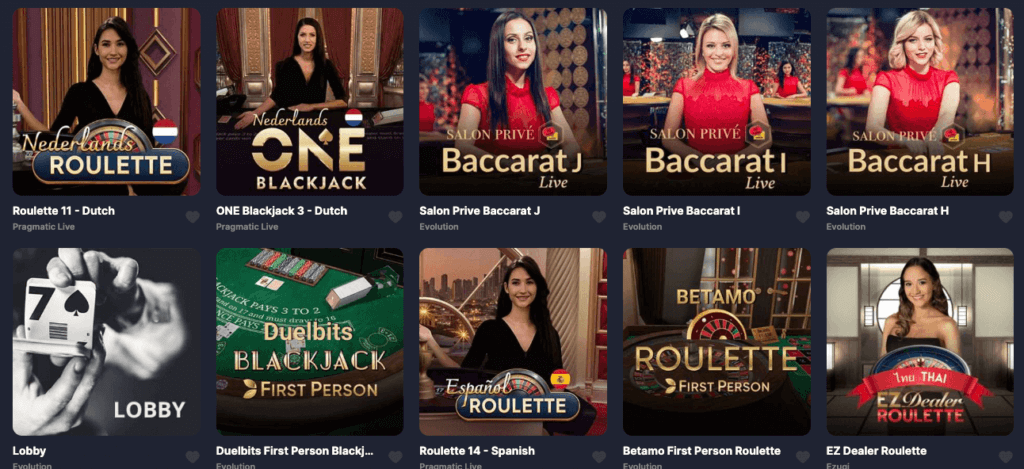
Upon setting up my account at WinRolla Casino, the interface was tidy and matched conventions common in the UK online gaming market. The ‘Add to Favourites’ function, symbolised by a heart icon, was always present next to every game title, be it in the lobby view or within a certain category. The initial setup was effortless. With a simple click, I could designate a slot or table game as a favourite. The instant visual feedback was apparent; the heart icon changed, and the game was right away accessible from a specific ‘My Favourites’ tab on the main navigation bar. This tab became the primary focus of my testing. The process felt instinctive, echoing the ‘like’ or ‘save’ functions widespread in music and video streaming services used every day across the United Kingdom. There was no need to dig through settings or confirm actions, which implied the feature was created for smooth, habitual use. This frictionless beginning was promising, as the best personalisation tools are those that blend into the user journey without requiring conscious effort or a learning curve.
Multi-Device Performance Check
For a United Kingdom player, seamless cross-device experience is mandatory. A session might start on a desktop during an evening, proceed on a mobile during a commute, and perhaps conclude on a tablet later. Therefore, I rigorously tested the Favourites system across platforms. Using the WinRolla Casino website on my desktop browser, the dedicated app on my iOS device, and the mobile-optimised site on an Android tablet, I examined for synchronisation. The result was flawless. Every game I marked on one device appeared immediately on the others. The sort order and ‘Recently Played’ data were also fully synced. This level of consistency is critical for a feature that guarantees personalisation; your curated experience should feel distinctly yours regardless of how you reach the service. It reflected the cloud-sync functionality I rely on for my music playlists, guaranteeing my gaming ‘shortlist’ was always in my pocket, up-to-date, and ready to use. This robust technical integration indicated that the feature was a core part of WinRolla’s infrastructure, not a surface-level add-on.
The Mental Side of Organization
Beyond mere function, using the Favourites system produced a nuanced mental effect on my sessions, a phenomenon I found analytically compelling. The act of managing my list generated a impression of ownership and commitment in the platform, comparable to building a library. It also streamlined decision-making, diminishing the ‘paradox of choice’ that can confuse players confronted by a vast game lobby. By restricting my immediate view to a pre-vetted selection, I could start playing faster and with less decision fatigue. Notably, it also motivated me to re-examine and give deeper attention to games I had initially enjoyed but might have overlooked amidst the constant influx of new titles. This mirrors the effect of a well-maintained music playlist, where older saved tracks get uncovered and re-enjoyed. For the player, this can result in more rewarding and focused sessions. For the operator, it likely increases player retention and engagement, as users are building a tailored space within the casino environment.
Assembling the Handpicked Collection
My testing methodology involved assembling a substantial collection of favorites to test the limits of the system’s capacity and structure. Over several weeks, I added games from different categories: classic three-reel slots, complex video slots from providers like NetEnt and Pragmatic Play, a few live dealer tables, and even some instant win scratchcards. I sought to develop a diverse ‘playlist’ reflecting different moods, much like I would put together a workout mix distinct from a chill-out soundtrack. The system handled this without any appreciable lag or error. Each addition was instantaneous. I came to understand how this could aid a UK player browsing a library of hundreds, if not thousands, of games. Instead of recalling the exact name of a slot you enjoyed last Tuesday, or searching endlessly through the ‘New’ section, you could efficiently build a personal menu. This is particularly useful for frequent players who have developed preferences and want to bypass the casino’s broader promotional layouts to go right to their trusted entertainments.
Evaluation with Industry Standard Practices
Placing WinRolla’s system in a larger context is essential. Many UK-facing casinos feature a ‘favourites’ or ‘my games’ function, but the level of implementation differs significantly. Some platforms only enable a handful of saved games, making the feature almost tokenistic. Others bury the option within a sub-menu, negating its purpose as a quick-access tool. WinRolla’s implementation excels for its prominence, unlimited capacity, and smart sorting options. The ‘Recently Played’ filter within the Favourites tab is a especially clever touch that I have not seen universally adopted. It efficiently combines two useful functions into one streamlined space. Furthermore, the flawless cross-platform sync, while expected, is not a given at all operators. Some smaller brands have appreciable delays or inconsistencies. WinRolla’s approach seems considered, as if it was designed with the understanding that a favourites list is not just a convenience but a primary navigation method for a significant segment of engaged players who appreciate efficiency and personalisation.
Spotting Shortcomings and Glitches
No platform is ideal, and a critical test must involve finding its limitations. During my prolonged testing phase, I encountered a few slight but notable issues. First, there is no capacity to make sub-folders or categorized lists within the Favourites. As my collection grew past forty games, it became a quite extensive, monolithic list. While the filtering tools helped, I was not able to, for example, organize all my preferred Megaways slots separately from my preferred live blackjack tables. For a experienced user, this is a overlooked possibility for better management. Second, on one instance, after a game was deleted from the WinRolla library (presumably due to a supplier agreement update), it persisted in my Favourites tab as a dimmed, disabled button for about 48 hours before vanishing on its own. This was a minor ghost in the system but showed that the curation is finally tied to the casino’s main library. The system does not enable you to ‘favourite’ a certain table or host in the live casino, only the game type itself, which is a reasonable restriction but noteworthy.
Testing Structure and Usability
A key part of my assessment centered on how effectively the Favorites tab organised the games I collected. Unlike a playlist of songs where I dictate the order, the bookmarked games here were auto-sorted. At first, they appeared in the reverse order they were added, with the newest first. Nevertheless, I found out the tab had several sort options: by studio, alphabetically by name, and critically by ‘Recent Activity’. This last option transformed the feature from a fixed list into a dynamic launchpad. After trying a few games on different slots, toggling to the ‘Last Played’ sorting inside my Favorites generated a convenient quick-continue option. It effectively surfaced the slots I was actively using, distinct from the main library or my permanent favorites. This layered organisation proved to be the system’s strongest asset. This implied my curated list was not a one-way street but a flexible tool that could adapt to my session, whether I wanted to play an old favorite again or jump back into a game I had just been playing moments before.
Real-world Verdict for United Kingdom Players
From a strictly practical standpoint, my assessment leads me to advise United Kingdom players at WinRolla Casino consistently utilize the Favourites system from their very first session. It is free, requires no technical knowledge, and delivers rewards in conserved time and diminished friction over the long haul. Commence by marking any game that catches your eye, even if you leave it unplayed right away. Use it as a tagging tool. As your assortment expands, leverage the sort filters to control it, counting substantially on the ‘Recently Played’ option to maintain momentum during a gaming session. Understand its limits: it cannot facilitate for complex sub-grouping, and it is tied to the casino’s current catalogue. However, as a tool for building a personalised gateway into WinRolla’s extensive library, it is exceptionally well-executed. It converts a generic game lobby into a customized setting that reflects your unique preferences and playing history.
Overall Evaluation and Closing Remarks
After weeks of thorough examination, I conclude that WinRolla Casino’s Favourite system is a function of true merit rather than mere decoration. It showcases intentional structure through its straightforward functionality, consistent platform integration, and clever filtering options, particularly the ‘Recently Played’ view which dynamically adapts the list to your current activity. The constraints, such as the inability to create nested lists, are minor when balanced with the core benefit of providing immediate, dependable entry to a player’s chosen options. For a United Kingdom audience habituated to extensive amounts of personalisation in their digital services, from streaming to shopping, this feature matches seamlessly with user standards. It enables players to take control of their navigation, successfully allowing them to build a permanent, portable menu of their top entertainment choices within the casino. As a playlist creator, I admire any system that prioritises user-led curation, and WinRolla’s implementation achieves in making a large gaming catalogue feel tailored, organised, and easily browsed.
My extensive examination of WinRolla Casino’s Favourite system reveals a carefully embedded feature that significantly enhances user experience. It adeptly transforms the common ‘like’ mechanic into a functional and strong browsing assistant for the online casino environment. The system’s strength lies in its ease, consistency, and the smart layer of dynamic sorting that adjusts to player behaviour. For UK players seeking a efficient and tailored gambling period, actively utilising this feature is a direct approach to cut down on mess and concentrate on fun. It stands as a testament to how considered, user-centric design in a commonly cluttered virtual realm can generate a more cohesive and fulfilling unique path.